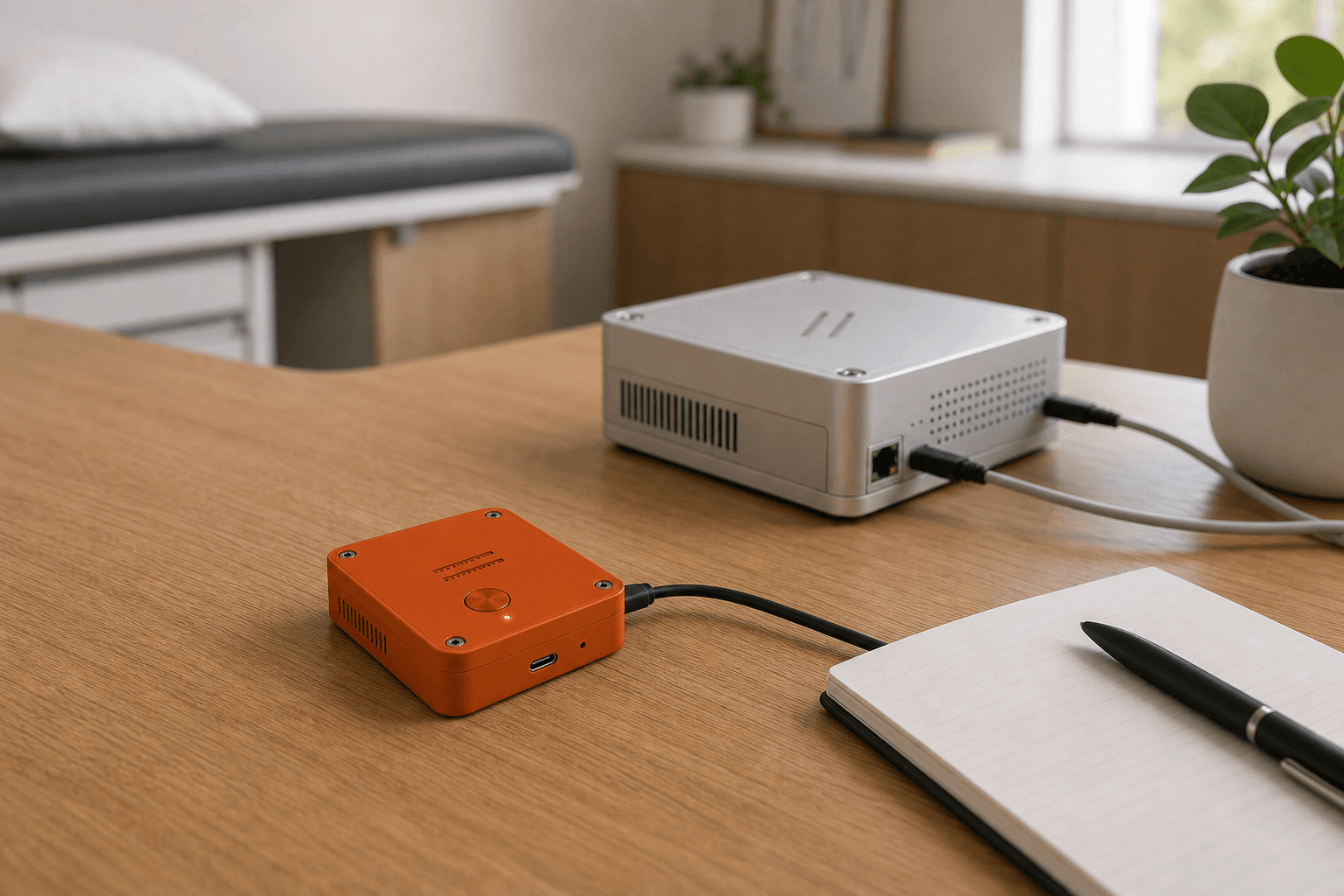
01 / capture
Desk network
AGIMINION captures at the desk while AGIMAN stays on the practice network.
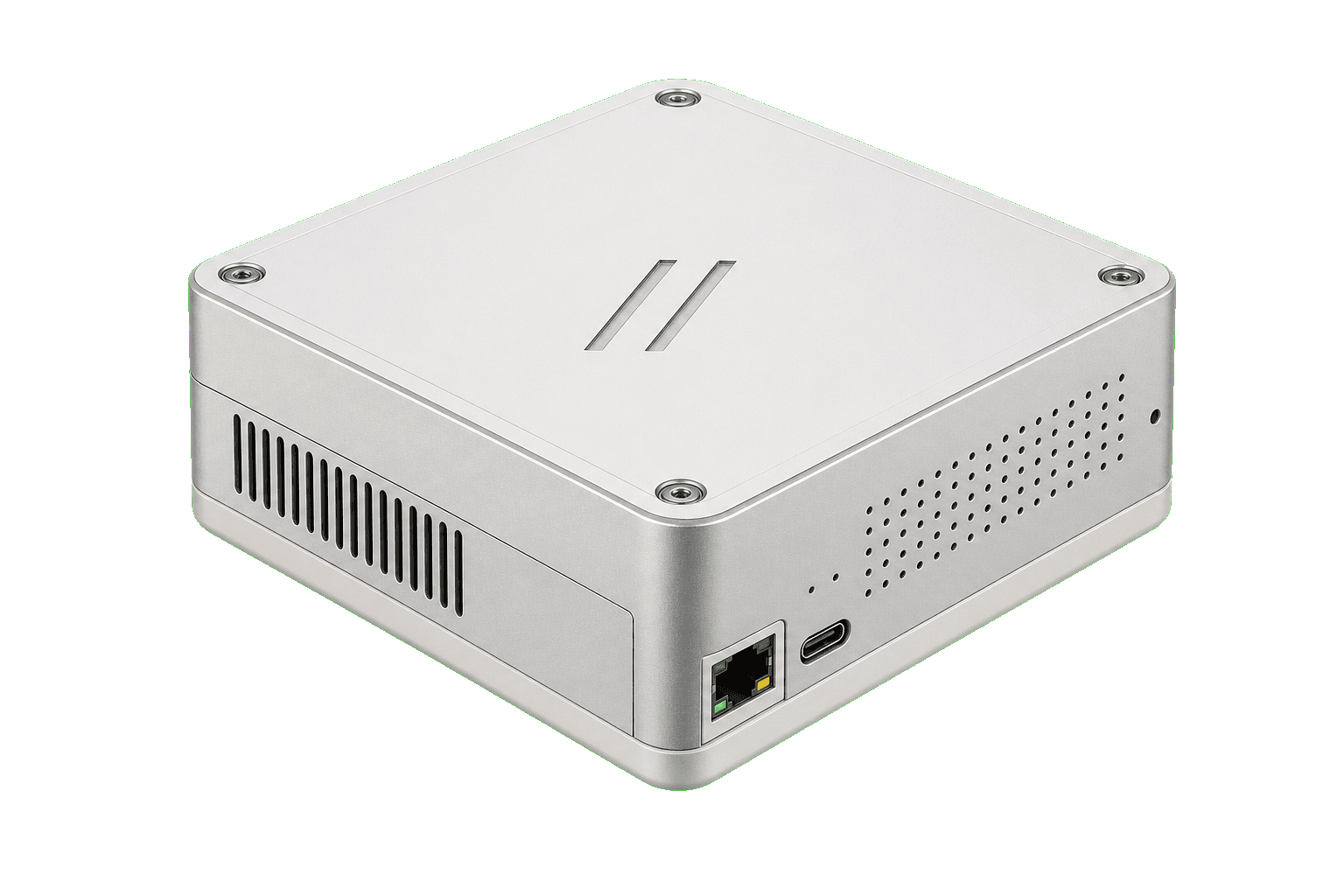
AGIMAN is HIPAA compliant AI for clinical conversations. It keeps audio on the practice network, drafts notes locally, and gives clinicians final review before the approved note syncs to the EHR. AGIMAN measurably improves the workflow around each visit, including charting time, handoff quality, and revenue cycle follow-through.
Buy AGIMAN
Free US shipping. Ships in about two weeks.

Practice network appliance
$999

Room capture device
$299
Add AGIMINION room devices for the desks and rooms you want covered.
Clinical note flow
Stay present with the patient in front of you. AGIMAN prepares the transcript and draft note in the background. You review, edit, and sign off, then the approved note automatically syncs with your EHR.
Your conversation becomes a transcript you can inspect.
Draft sections follow the visit type and fields your practice approves.
Your edits and sign-off stay attached to the approved note.
After sign-off, the approved note automatically syncs with your EHR.
The workflow
AGIMAN produces the source transcript on the appliance, drafts the note sections, and holds them for your review. After sign-off, the approved note syncs with your EHR.
Start capture from an AGIMINION room device when the room is ready.
Audio stays on the practice network during capture.
The appliance turns speech into a source transcript for review.
AGIMAN drafts note sections from the transcript on the appliance.
Check the transcript, edit the draft, and approve the chart text.
AGIMINION / room capture / $299 each
AGIMINION devices give you a capture point at the desk or across the room. Audio stays on the practice network. You review the transcript, approve the note, and the signed version syncs with your EHR.
01 / capture
AGIMINION captures at the desk while AGIMAN stays on the practice network.
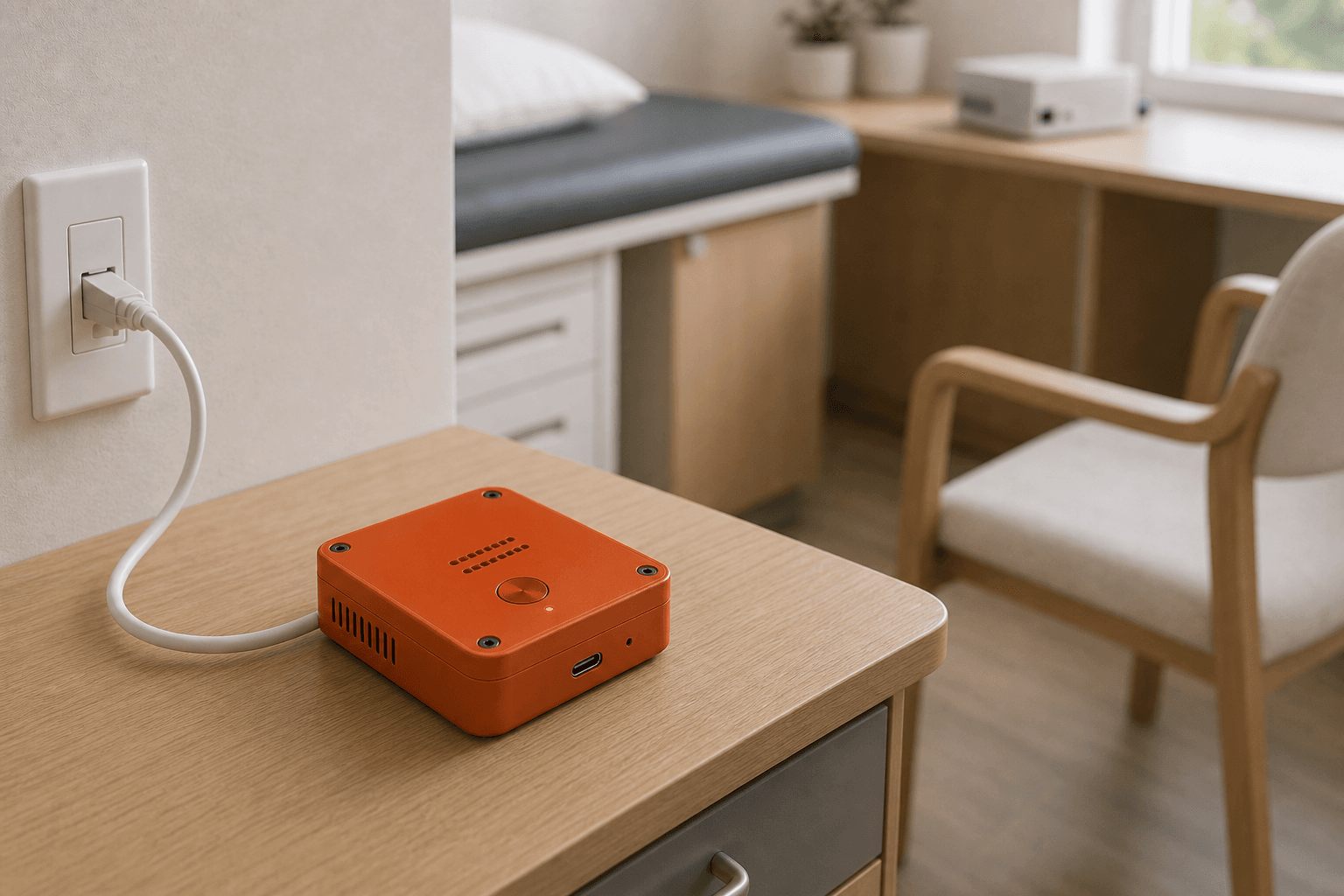
02 / capture
A room device can sit across the room and route audio back to AGIMAN.
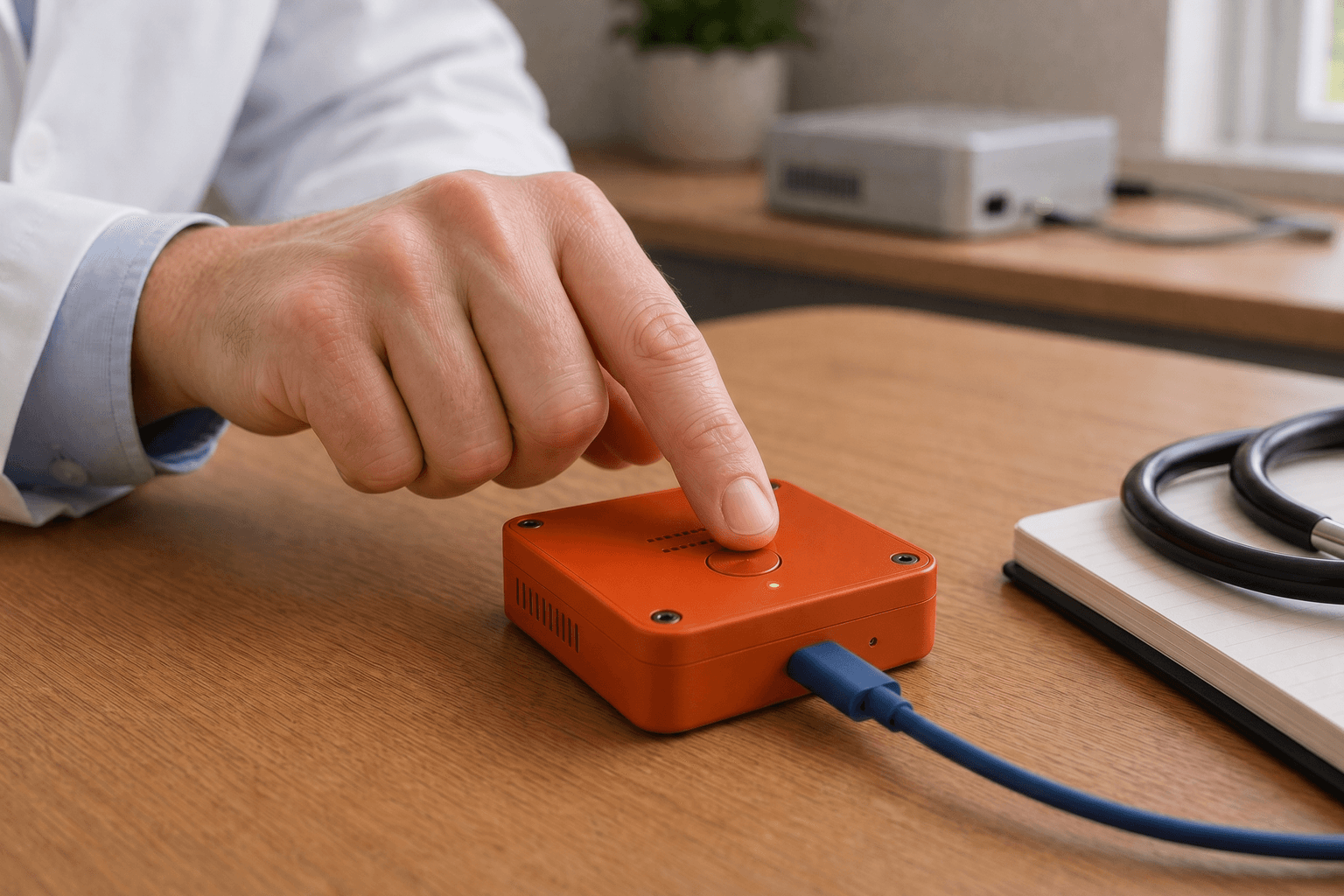
03 / capture
Start capture at the device; the recording light shows state.
Benchmark
AGIMAN local scores 73.7 on the medical benchmark. Local edge and small cloud rows score lower. You review the transcript and sign the note, then the approved version syncs with the EHR.
AGIMAN appliance
Score
73.7
Quality
72.9
Safety
76.1
Boundary
Local appliance
Local row
Score
72.9
Quality
72.4
Safety
74.8
Boundary
Local
Edge row
Score
71.4
Quality
69.3
Safety
75.3
Boundary
Local
Cloud row
Score
70.7
Quality
68.5
Safety
68.4
Boundary
Cloud
Cloud row
Score
69.0
Quality
68.4
Safety
68.9
Boundary
Cloud
EHR / RCM / schedule
AGIMAN maps reviewed chart text to the fields the practice approves in its EHR and PM. The first export path is scoped and reviewed before it is turned on.
Scheduling, mail, and files
Office systems
 Google CalendarScheduling
 GmailMail
 Microsoft OutlookMail / calendar
 iCloudFiles
Boundaries
Audio stays on the practice network. Transcription and drafting run on the AGIMAN appliance. You review and sign. The approved note syncs with your EHR through the access path the practice approves.
Install path
Plug AGIMAN into power and place it where the practice network is stable.
Connect Ethernet for a fixed appliance, or join the same Wi-Fi the AGIMINION devices use.
Place AGIMINION where the room audio is cleaner. It sends audio to AGIMAN on the practice network.
AGIMINION capture
AGIMAN / local appliance
No internet connection is required to process audio or generate drafts.
Transcripts and drafts stay on the appliance unless you approve an export.
Drafts become chart text only after you review and sign off.
Reviewed chart text, RCM support, and file exports use access paths the practice approves.
01
AGIMAN stages the note from the transcript, visit type, and approved fields. You edit the draft before export.
02
The first workflow can be scoped by specialty, template, payer context, and EHR access. Exceptions stay visible in the review path.
03
Room audio, transcription, and draft generation run on AGIMAN by default. Exports follow the access path the practice approves.
04
AGIMAN drafts. You check the transcript, edit the note, and approve what reaches the patient record.
Hardware inspector
Click a layer to see where room audio becomes a transcript, where the draft is produced, and where the review record waits before export.
Provider confirms consent before capture starts.
AGIMINION routes audio over the practice network.
AGIMAN prepares the source transcript.
AGIMAN drafts on the appliance.
Your approval syncs the note with the EHR.
Click a layer
02 / Drafting on the appliance
AGIMAN turns the source transcript into draft note sections without sending the visit to an external drafting service. Output waits for clinician review.
Task
Draft note sections
Boundary
Practice network
Input
Source transcript
Output
Review draft
Review rule
AGIMAN can draft. You still check the transcript, edit the note, and decide what reaches the chart.
Practice setup
$999 one-time purchase for the local AGIMAN appliance.
$299 each for capture points around desks, side tables, and rooms.
Recurring updates, maintenance, and support keep the appliance usable inside the practice workflow.
Structured exports, RCM support, ICD suggestions, and integrations are scoped with the practice's approved EHR and PM access.
Boundaries
You own the final chart text. AGIMAN shows the draft next to the source transcript, records every edit, and holds the note until you sign off.
Next batch
Buy AGIMAN
Free US shipping. Ships in about two weeks.
Practice network appliance
$999
Room capture device
$299
Add AGIMINION room devices for the desks and rooms you want covered.